Stop Overdoing Things!

In the midst of this frigid winter, I cozied up in layers of warmth this morning and delved into my collection of 1990s National Geographic magazines. The photographs within are profoundly evocative, each telling its own story. It makes me wonder, where have such talented photographers gone?

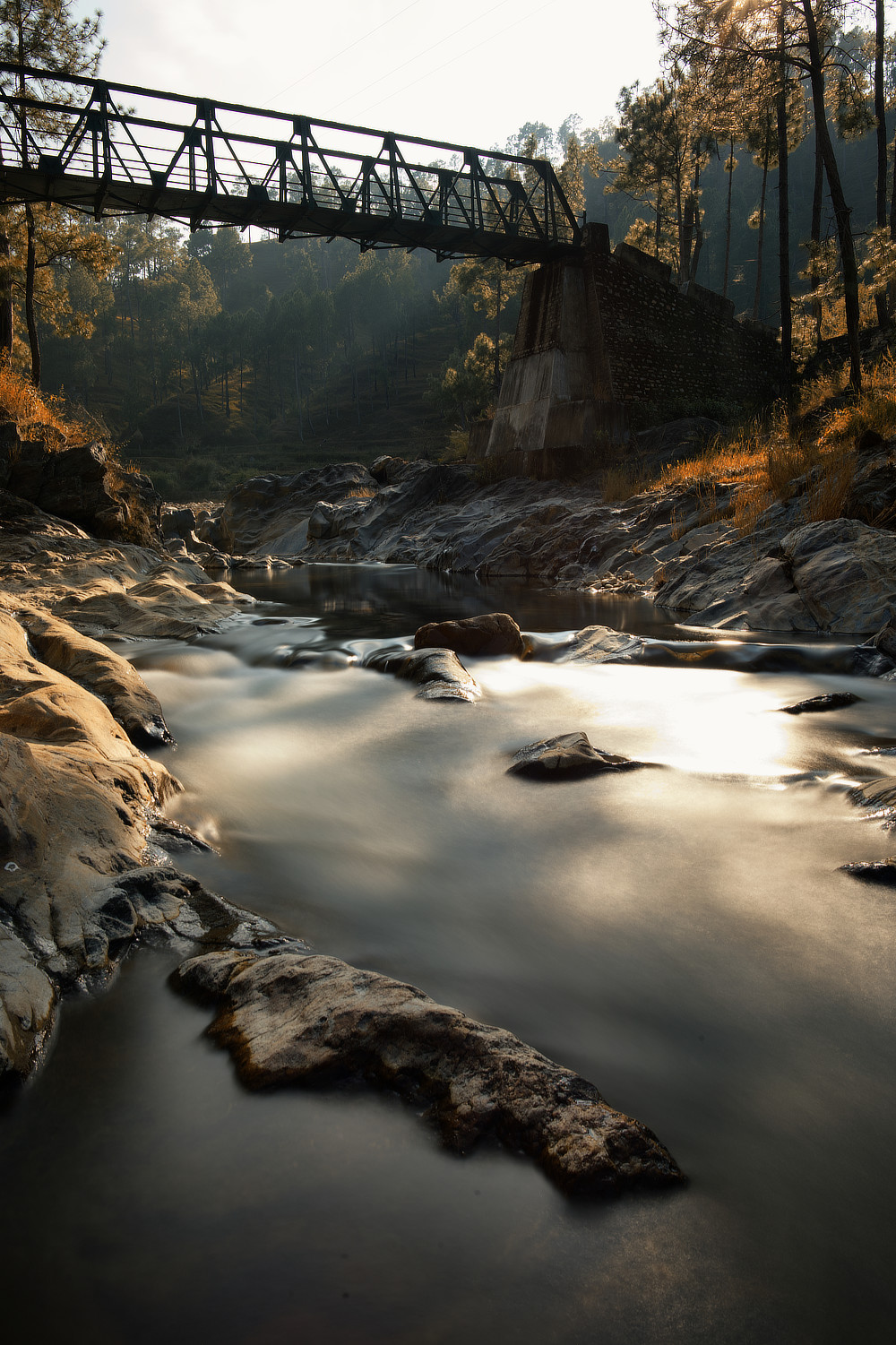
Bridge over a mountain stream

(Bridge over a mountain stream – About a half minute exposure at f/16, ISO 50, with an ND filter on.)

Continue reading Stop Overdoing Things!

Have you overdone it? (Part 2)

In continuation with the earlier article – Have you overdone it?, here, I’ll be pointing out some more very obvious errors. If you are committing these mistakes, try to avoid them in the future. If you are not, well and good, don’t go overboard with photo-editing or post-processing.

Remember, this article is to train your eyes to observe. So, stare at these images and see the flaws. Don’t try to skimp through it. Read this only if you have time and patience. Once you learn to see the flaws in photographs that would otherwise go unnoticed, you’ll start seeing the obvious darkroom flaws everywhere. Remember, you have been warned!


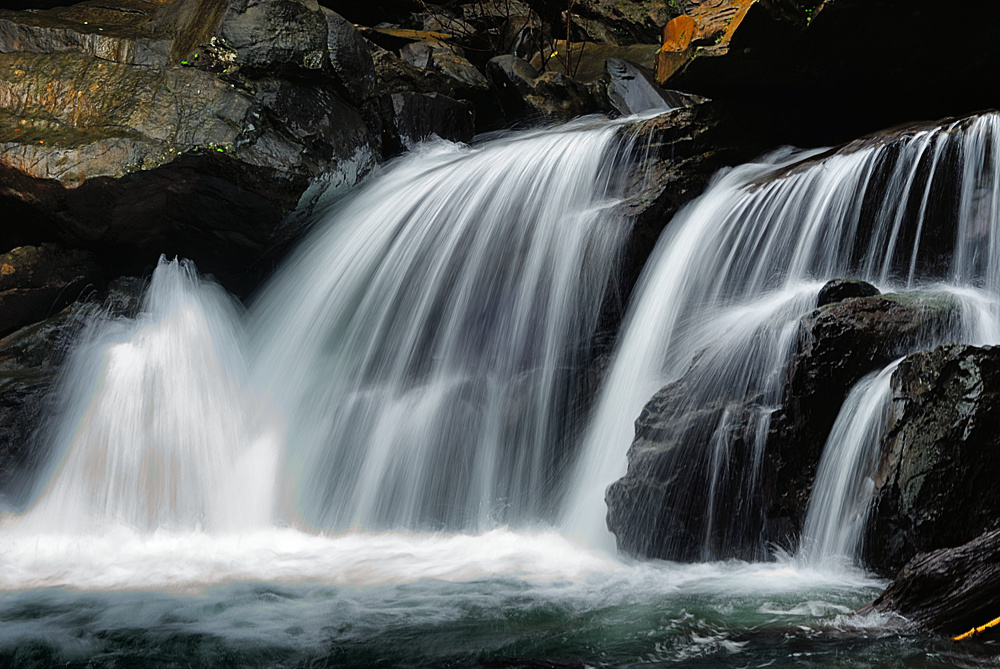
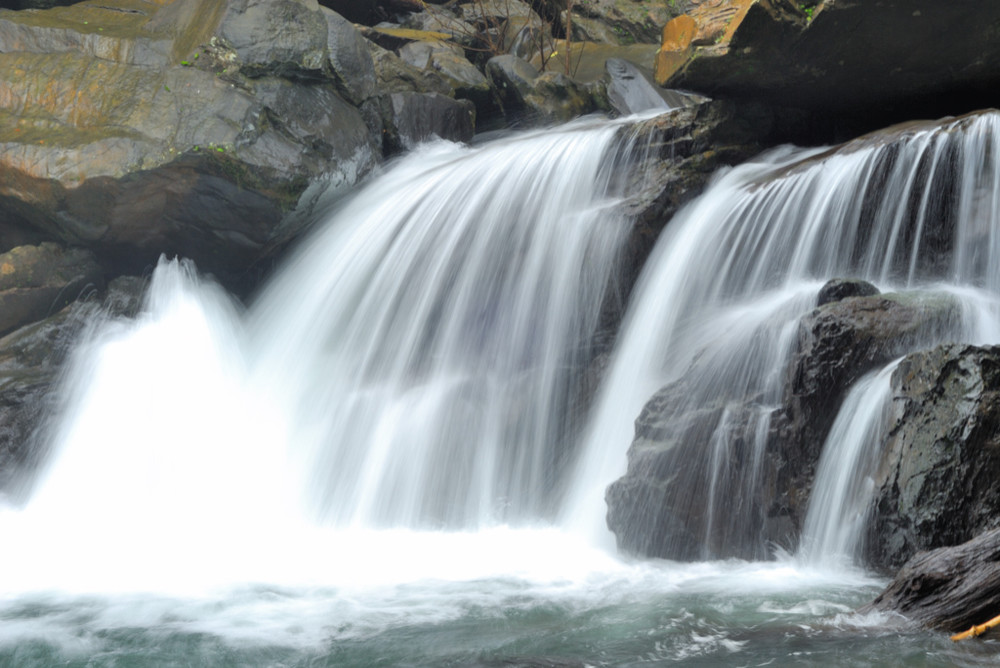
Overporcessed Image

Continue reading Have you overdone it? (Part 2)

Revisiting raw files

There are some special places that we like to visit again and again. That beautiful cottage on the hills with a view, that roadside cafe selling your favorite coffee, that corner store with its oddball collections, that winding road on the hills… the list goes on. There are our favorite songs that we never get tired of hearing or the movie that can always entertain us. For me, my old photographs are also a precious treasure, which I love to visit again and again. However, this time, I thought of revisiting the raw files!

New PhotoOld Photo

(The photograph on the left is processed from an old file that I had used for one of my articles here, few years back. On the right is the image that I could get from its raw file 10 years back. Notice the lack of information in the overexposed area in the photograph.)

Continue reading Revisiting raw files

Photography getting lost to Photo-editing

Darkroom has been replaced by photo-editing on computers. Sadly, a lot of newcomers are now replacing photography with photo-editing. I’ll refer to this habit as photo-shopping since that is what people have come to call it. In fact that is another achievement of the Adobe Photoshop software, to be able to penetrate to such an extent and get known to the masses. My sincere advice to all budding photographers is to start photographing and reduce photoshopping.

Continue reading Photography getting lost to Photo-editing

Saturation – the ideal level

The world around us is colored. It is not a surprise then that colors attract us. The colors in photography however assume a very important role. It is therefore important to understand how much of colors are good. The technical term for the amount of color is saturation. Photo-editors of today use powerful algorithms to change the saturation and can vary it between zero (which is practically black and white) to such a high extent that it becomes a pain in the eyes to look at. The ideal saturation level is the one that brings out the beauty in the photograph without looking too artificial.

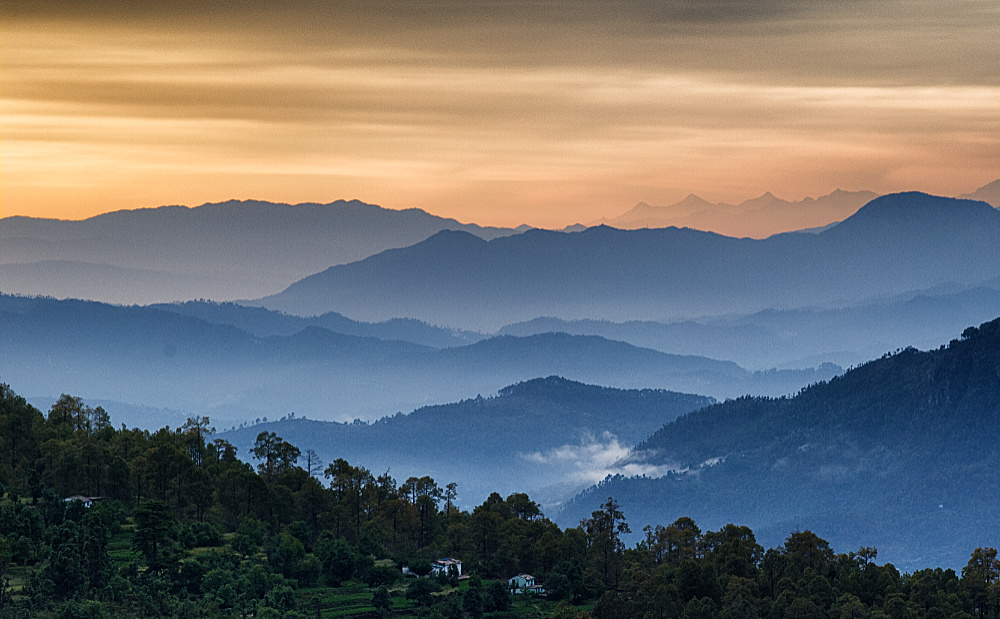
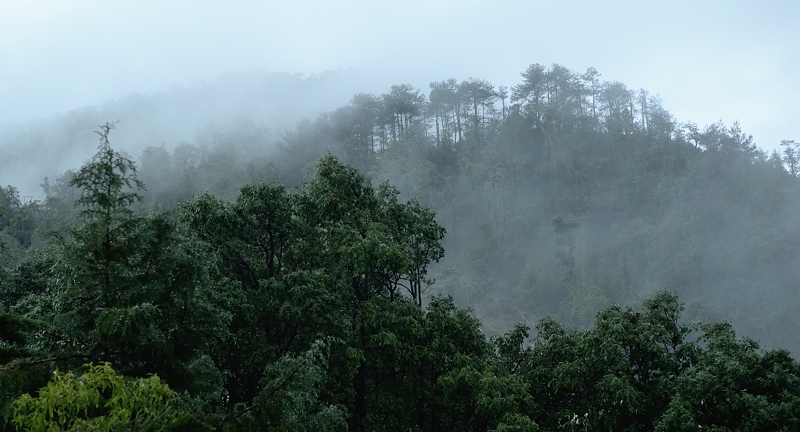
Fog on the hills

(Fog on the hills – a difference in saturation in the trees in the foreground and the ones on the hills gives an idea about the fog. The dark foreground also gives a sense about the late time of the evening.)

Continue reading Saturation – the ideal level

Top 10 Photo-editing Traps

One of the best things that has happened with the digital revolution in photography is the change in darkrooms. Now instead of those truly dark areas with various liquids, we are blessed with comfortable desks and powerful computers. The image editing programs like Photoshop, Gimp, Affinity Photo etc are really powerful. It is also very easy to get lured into spoiling any image while trying to make it better. Here are the top 10 photo-editing traps that should be avoided.

Continue reading Top 10 Photo-editing Traps

Raw files – what affects them

There is a myriad of camera settings that affect a photograph. How many of these changes actually affect the raw files is a matter of debate for some and confusion for most. The common word is that none of the camera settings actually affect the raw files and these are only important if saving photographs as jpg. Is this true? Let’s explore in some more detail.

Continue reading Raw files – what affects them

Changing the Image Size

The size of the photographs captured by a camera, quite often does not match the requirements. The photographs may have to be sent in small sizes by email or uploaded to social networking sites. There are websites that won’t even accept images above a certain size. On the other hand, the photographs may have to be enlarged and printed. The size of the photographs in most conditions also does not tally with the required print size. What happens in all these situations is that the various algorithms take up this task of changing the size of the photograph to provide acceptable results. These algorithms may be a part of the operating system, website designing software, printer’s software or even as coding at the level of websites. The problem? These acceptable results are most often not the best.

Continue reading Changing the Image Size

Cropping Tool

Cutting the unused or extra area away from a photograph is called cropping for whatever reasons. My neighborhood barber now has ‘hair-crop’ rate list. Cropping must be a new word which incidentally I did not study in school. Anyway, coming back to photography, cropping is a really powerful tool and something which can easily add impact to your photographs. Cropping can also create drama, change your composition, add an element of surprise or it may just make the photograph look beautiful.

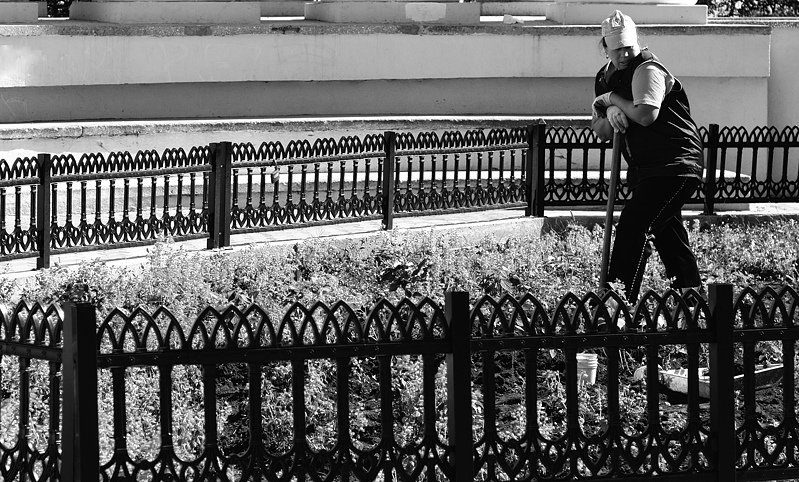
Lady Worker

(Nikon D200 with Nikkor 50mm at f/5.6 with some amount of cropping)

Continue reading Cropping Tool

Organize and BackUp

With the higher and higher capacity memory cards becoming available, number of photographs clicked are increasing day by day. Digital space is cheap. Photographers can now store hundreds of thousands of photographs without any problem. The trouble arises when trying to find something. Here is a small list of things to do and get your collection of photographs organized.

Continue reading Organize and BackUp

Curves Tool at your service

“The Curves tool is the most sophisticated tool for changing the color, brightness, contrast or transparency of the active layer or a selection. While the Levels tool allows you to work on Shadows and Highlights, the Curves tool allows you to work on any tonal range.” This is the explanation given by GIMP and it says how powerful the Curves tool really is. It looks intimidating and so most photographers do not touch it but when used properly it is the single most useful tool.

Continue reading Curves Tool at your service

Balancing Act (in Color)

White is white. Or is it? We see a white-colored shirt as white when the person wearing it stands under the sun or in the shade or even inside the house. We see it as a white shirt regardless of the weather outside or the time of the day. Our eyes are wonderful. They adapt to ambient light colors. When it comes to photography, it takes a whole new dimension. The same white shirt looks bluish, in cloudy weather or in shade. It looks yellow-orange when photographed inside the house when the room is lit by bulbs. The camera sensor or the film can not adjust automatically to the color change. The auto ambient light adjustment happens in the post-processing stage even if you select it in the camera. (The post-processing then takes place in the camera)

There are some terms and fundamentals that have to be understood first before going any further.

Color Temperature –
It has been described most simply as a method of describing the color characteristics of light, usually either warm (yellowish) or cool (bluish), and measuring it in degrees of Kelvin (°K). Color temperatures over 5000 K are called cool colors (bluish white), while lower color temperatures (2700 K – 3000 K) are called warm colors.
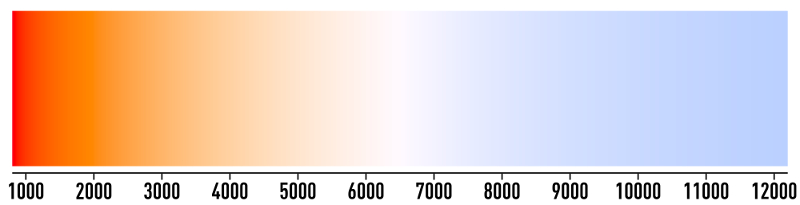
Kelvins

Continue reading Balancing Act (in Color)

Remove Noise

When it comes to post-processing, there are options to remove noise as well as to add noise. This is yet another contradiction that every photographer faces once in a while.

Noise in photography refers to the small specks which become visible at high ISOs. Sometimes noise can also refer to areas of discoloration. In the film days, the higher ISO films had ‘grain’. Noise is unwanted but grains can add character to the photograph. This statement should clear all the doubts. Read it again if you want to. Unfortunately a lot of image editing programs call this ‘grain’ also noise and thus the confusion.

Continue reading Remove Noise

Post Processing RAW

Work done in darkrooms was an important step in creating beautiful images. Now it has been replaced by computers. Post-processing is vital. In layman terms, processing of data (photograph) captured on camera is required for the image to be seen as per the settings. This can happen in the camera, when it is called in-camera processing or the raw data can be processed at a later stage on computer, this is called post-processing.

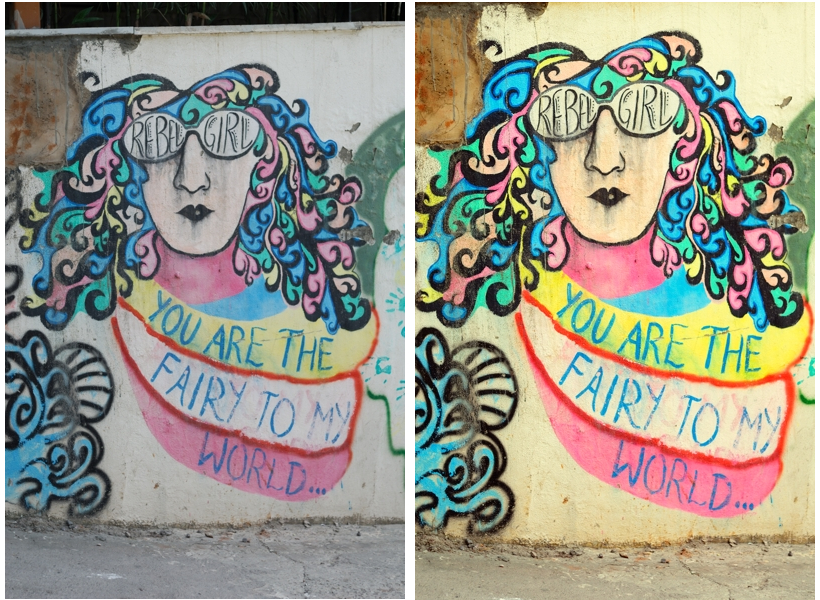
Out of the camera image and post processed RAW

(Out of the camera jpg on the left and on the right, jpg which was post-processed from raw)

Continue reading Post Processing RAW